
Working from home
Keep the app in its own window and squeeze in a test between calls.
My DGT Test for Mac is a native macOS app for the Spanish DGT exam: press ⌘N for a mock exam and read every question on a big screen. Good for long revision sessions at home.

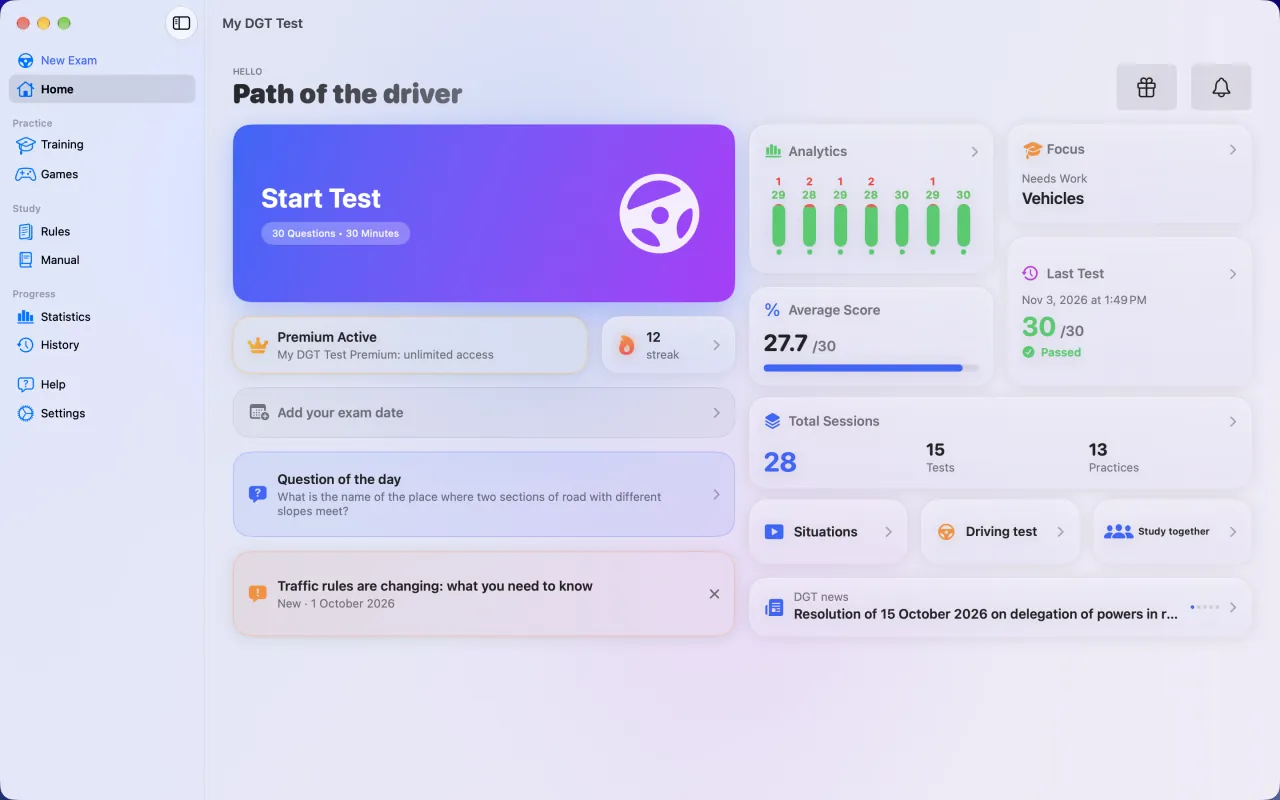
Your phone is for spare minutes. The Mac is for sitting down with a coffee and doing three mock exams back to back.
Keep the app in its own window and squeeze in a test between calls.
Same Apple ID, same Premium, and your progress follows you.
Large question images make the details of a junction or a sign easier to see.
Not a website in a frame: a macOS app built for keyboard and trackpad.
⌘N new exam, ⌘T training, ⌘R random training, ⌘E review mistakes, ⌘1–⌘6 to switch sections.
Sidebar navigation in its own window. Requires macOS 26 or later.
Premium bought on iPhone with your Apple ID unlocks the Mac too.
Photos and signs are shown large enough to read every detail.
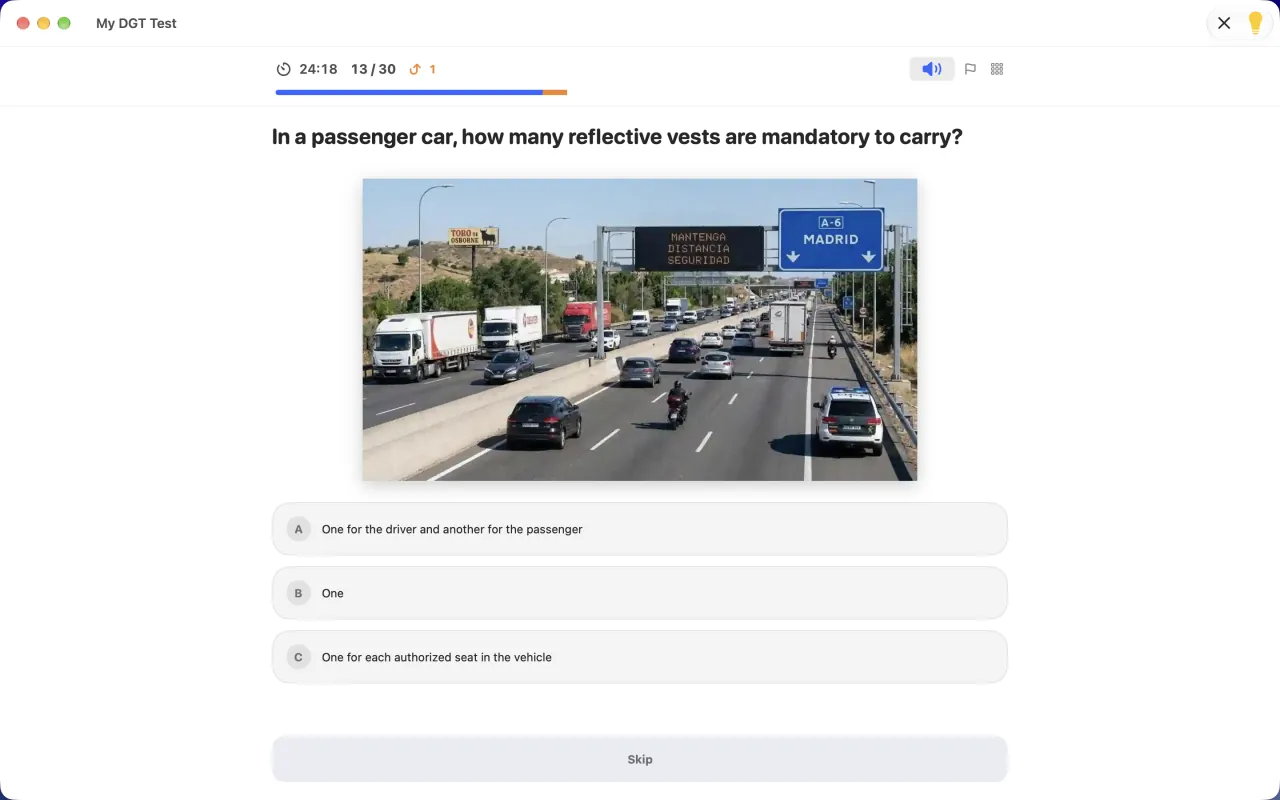
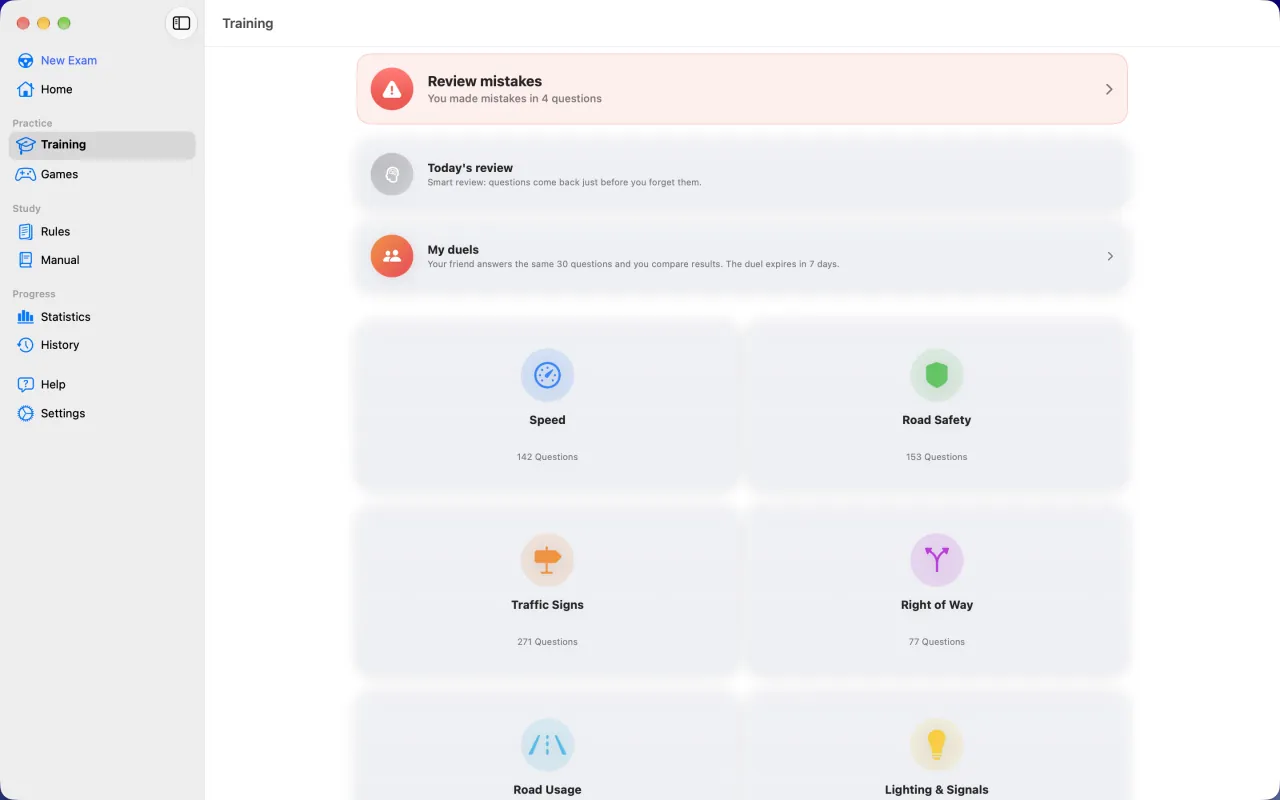
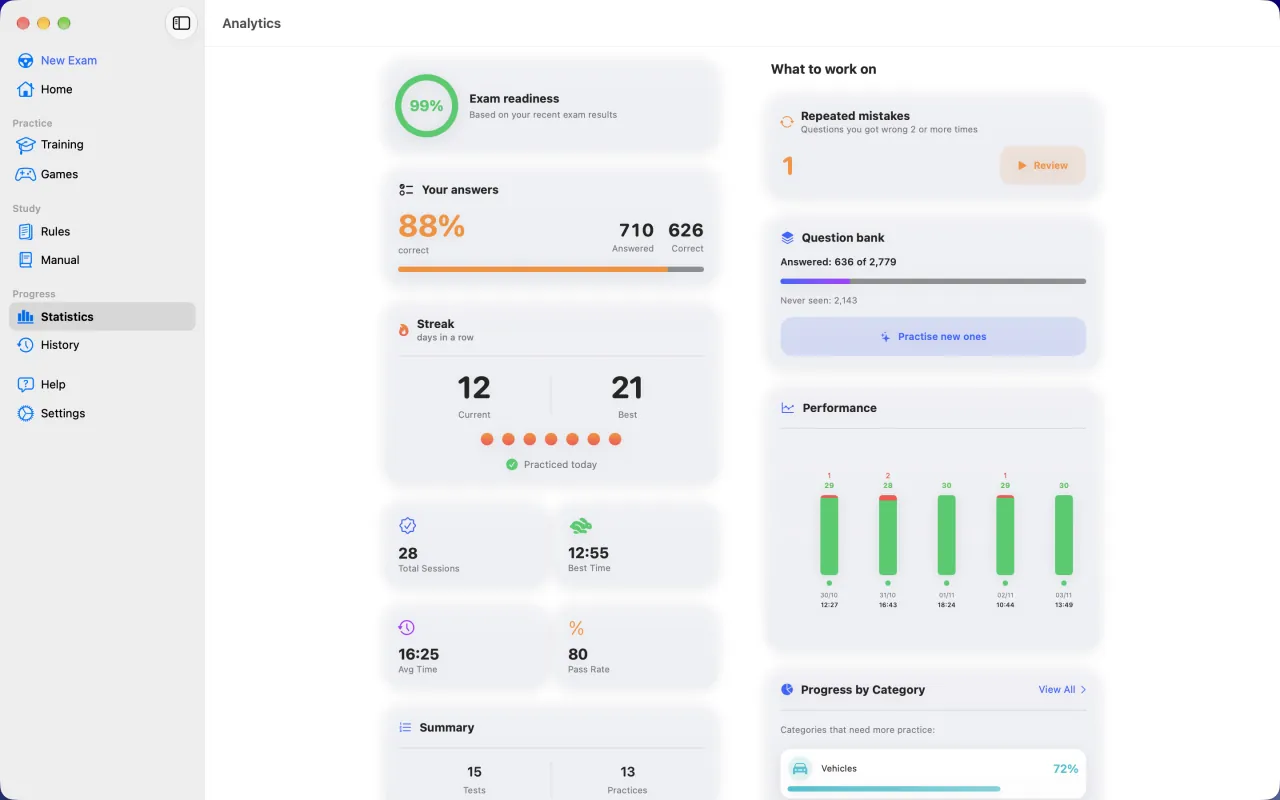
Any computer can run the free guest exam on dgtexam.es. The Mac app pays off if you revise on your laptop often.
| Mac | dgtexam.es website | |
|---|---|---|
| Keyboard shortcuts | ✓ | — |
| Own window with sidebar | ✓ | Browser tab |
| Uses your iPhone Premium | ✓ same Apple ID | Separate plan |
| Requirements | macOS 26+ | Any browser |
| No install needed | — | ✓ |
Search for My DGT Test and click Get. Free download; macOS 26 or later required.
Sign in to sync progress; with the same Apple ID your iPhone Premium is already there.
Your first mock exam, without touching the mouse.
Yes. My DGT Test has a native Mac app, free on the Mac App Store. It needs macOS 26 or later.
No, if you already have it on iPhone: it is a universal purchase tied to your Apple ID. The download is free and Premium is optional.
No. AI Vision, widgets and Apple Watch are iPhone features. The Mac gets keyboard shortcuts, a sidebar and large images.
No. It is an independent app and is not affiliated with the Dirección General de Tráfico.
Yes, in the same 11 languages as the mobile apps, with the original Spanish question one click away.
Use the free online test on dgtexam.es in your browser, or the app on iPhone or Android.